Reference
Show History
How past shows are stored, what's accessible, and how to save your shows to your account.
Last updated 2026-10-08 · Applies to NotBot 1.4.4+
Every show NotBot watches is kept on your computer and listed under Show History in the top bar. You can also save your shows to your account and see them from any computer and on mellowtools.com. For a walk through, see Look back at a show.
How shows are recorded
A show is added as soon as NotBot sees a live show open in its built-in browser, before anything sells. From then on NotBot records, for that show only:
- box numbers, starting at 1;
- auctions, giveaways, Buy It Now purchases, and accepted offers;
- bids and chat;
- the labels it printed or skipped;
- a photo of each auction win (on by default);
- totals: buyers, revenue, average sale, and more.
Box numbers belong to one show. Box 5 in one show is not the same buyer as box 5 in another.
The show list
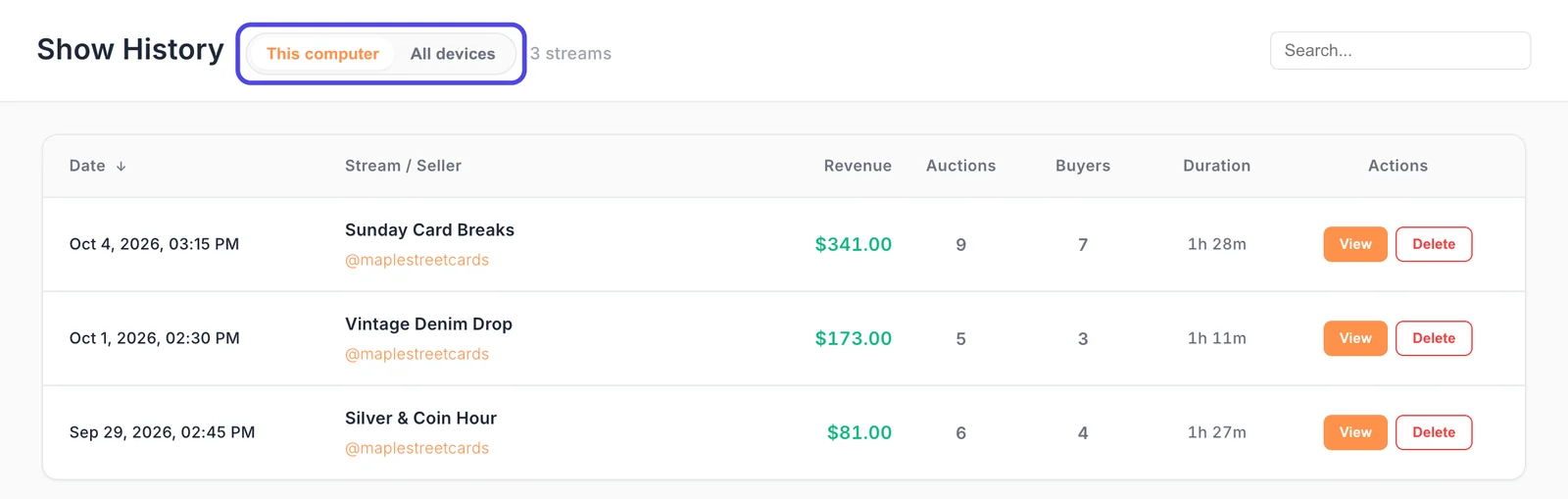
- Each row shows the date, the show's title and seller, revenue, auction count, buyer count, and how long it ran. The show running now is marked LIVE.
- Search matches the show title and the seller.
- Sort by Date, Revenue, Auctions, or Buyers.
- Delete a show from its row. That removes it, and its photos, from this computer.
- Click a show to open it.
This computer and All devices at the top switch between the shows on this computer and every show saved to your account (see below).
A show's details
A show opens full window, with a tab for each part:
- Items: every auction, purchase, and giveaway. Auctions show their win photo; click an auction or purchase to see it larger and print its label again.
- Buyers: every buyer with their box number. You can print a buyer's box label again from here.
- Chat: the show's chat. A chatter with a box number shows it beside their name.
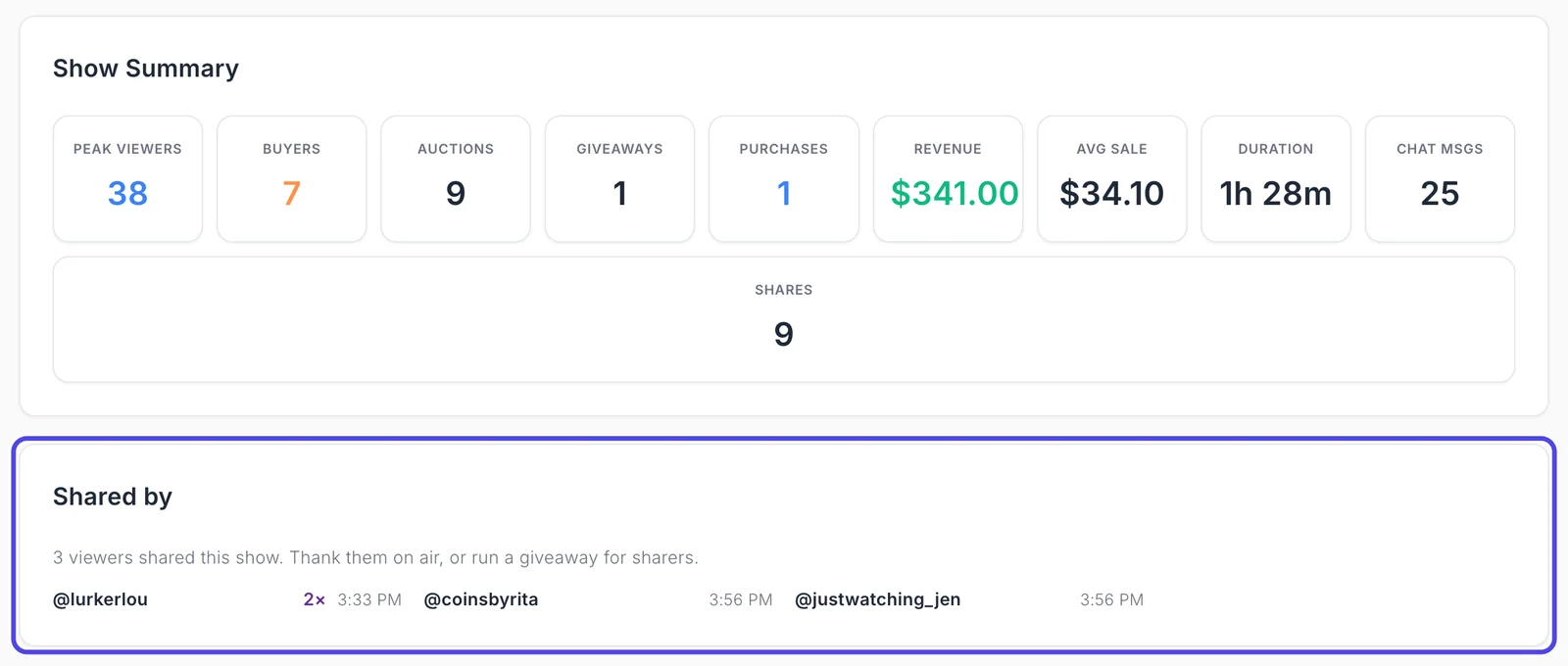
- Summary: the show's totals and its timeline. For a Whatnot show it also shows how many times the show was shared, and under Shared by, who shared it and when, so you can thank them on air.
- Reports: the show's summary and buyer list reports. The full report library is the Reports view in the top bar.
The Payments button at the top lists payment problems in the show, with each buyer's box number. When a payment failed, it shows how many.
A show with card breaks also lists every break spot with its buyer, box number, and result.
To print labels again from a past show, see Reprint labels. For a buyer number report, see Print a buyer number report.
Win photos
The moment an auction ends, NotBot saves a picture of the show on screen, so you can see exactly which item sold and who won. It is on by default, and only the show in the active tab is captured. Photos are kept on this computer with the show and removed when you delete the show.
Customize › Advanced Settings › Capture & photos has the photo quality, how much space photos use, and a limit (by size or by number of shows) that removes the oldest photos first. See Keep win photos from filling your disk.
Saving shows to your account
Off until you turn it on, and set per computer. Turn on Include data from this computer in Customize › Advanced Settings › Sync & devices, and each show this computer runs is saved to your account as it happens. It works the same on every platform NotBot supports, and printing works the same either way. Earlier shows can be uploaded from Past shows on the same page. See Save your shows to your account.
- All devices in Show History lists every show saved to your account, from every computer that saves. A Device menu narrows it to one computer. This view is read only: a show this computer still has opens its normal details; any other show opens a read only view of its sales, chat, and summary.
- On mellowtools.com, NotBot Data shows your saved shows, items, buyers, and activity, with reports and exports. See Your shows on the website.
Where the data lives
Show data is in a database on your computer:
- macOS:
~/Library/Application Support/notbot/ - Windows:
%APPDATA%\notbot\
NotBot backs it up on its own before an update changes it, and you can back up or restore it yourself in Customize › Advanced Settings › Sync & devices. Unless you turn on saving to your account, your show history stays on this computer. See Privacy.
See also
- Dashboard for the show you are running now.
- Print Queue for label statuses.
- Privacy for what leaves your computer.