Account & Billing
Updates
How NotBot updates, the update banner, the stable and beta channels, What's New, and minimum systems.
Last updated 2026-10-08 · Applies to NotBot 1.4.4+ · Identical to the stable docs
NotBot updates itself. This page covers how updates arrive, the stable and beta channels, and What's New. For the steps, see Update NotBot, see what is new, and get help.
How updates work
NotBot checks for a new version:
- when it starts, after a short delay;
- every 6 hours while it is running;
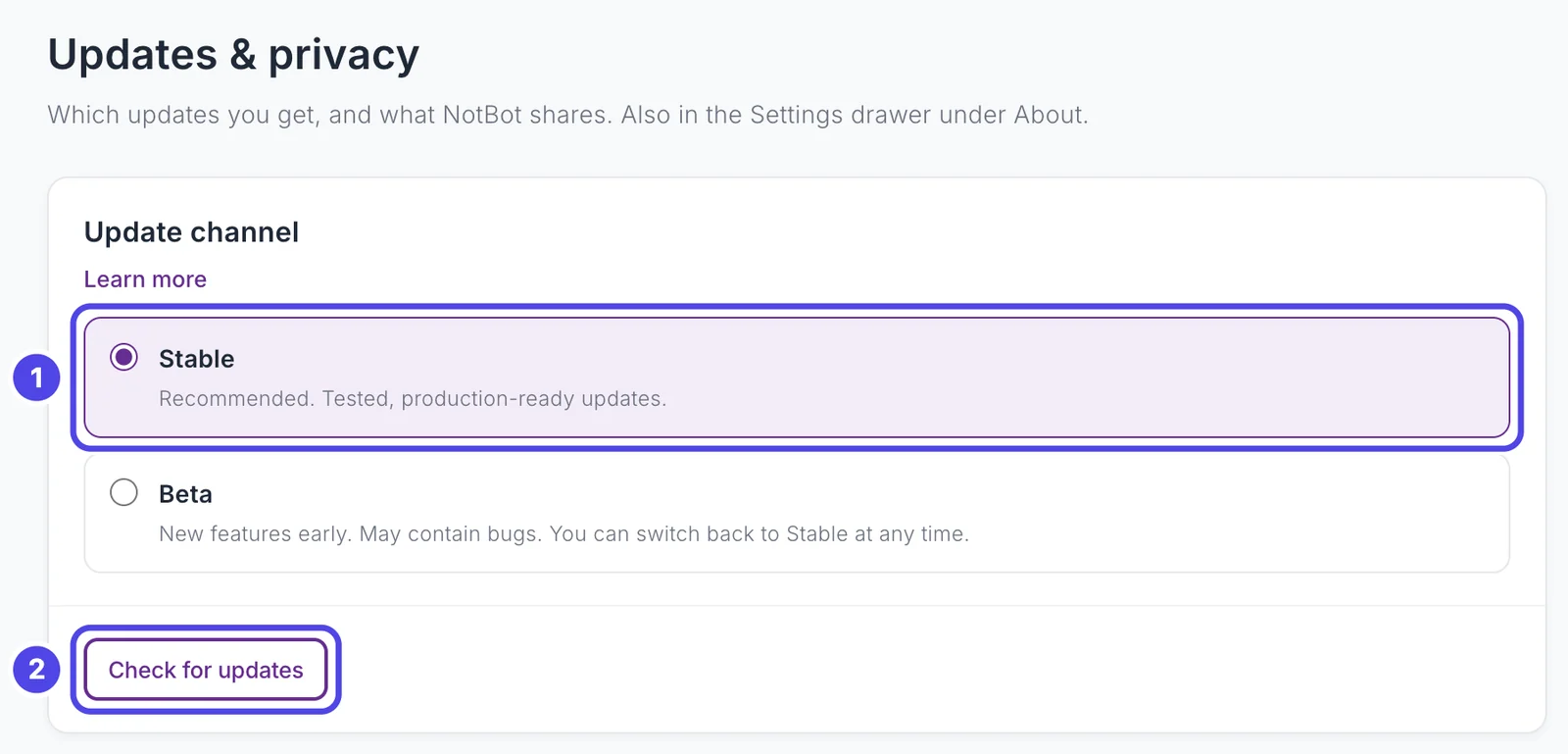
- when you ask: Check for updates in Customize › Advanced Settings › Updates & privacy, Check for Updates in the Settings drawer's About tab, or Check for Updates in the menu of NotBot's icon in the menu bar (Mac) or system tray (Windows).
A new version downloads in the background. When it is ready, a banner at the top of NotBot offers Restart & Update, and an update button appears in the top bar.
- Later hides the banner; it comes back about 4 hours later. After an update has waited two days, or you have put it off three times, the banner becomes more noticeable.
- NotBot never restarts itself to update. If a show is live, the banner says that restarting ends your current show, and the button reads Restart anyway.
- If you do not restart, the update installs the next time you quit and reopen NotBot.
- On a Mac, NotBot cannot update while it runs from Downloads or the disk image instead of the Applications folder. The banner offers Move to Applications to fix it.
- Before an update changes the show data on your computer, NotBot backs it up. The backup is listed as Before an update in Customize › Advanced Settings › Sync & devices.
Checking for updates needs you to be signed in.
Stable and beta
- Stable (default): tested releases.
- Beta: new features early. May contain bugs.
Switch in Customize › Advanced Settings › Updates & privacy › Update channel, or Update Channel in the drawer's About tab. While an update is downloading or waiting to install, the channel cannot change until it finishes. When you switch from Beta back to Stable, you stay on your version until a stable release is newer; NotBot does not roll you back.
What's New
The first time you open a newer version, What's New shows what changed since the version you used last. Close it and it stays closed until the next update. To see it again, choose What's New from the menu under your email at the top right, or View What's New in the drawer's About tab.
Minimum systems
NotBot 1.4 runs on:
- macOS 12 (Monterey) or later, Apple Silicon or Intel.
- Windows 10 (64-bit) or later, including Windows 11.
Macs on macOS 11 (Big Sur) or earlier cannot run it.
See also
- Account & Billing for sign-in.
- Getting Started for installing.
- Settings Reference for the update and privacy settings.