Step-by-Step Guides
Print a label when another seller raids your show
Turn on raid labels so NotBot prints the raiding seller's name and how many viewers they brought, ready to thank them on air.
Last updated 2026-10-08 · Applies to NotBot 1.4.4+ · Identical to the stable docs
When another Whatnot seller ends their show and sends their viewers to yours, that is a raid. NotBot can print a label for it with the raiding seller's name, how many viewers they brought, and the time, so you can thank them on air or raid them back later.
Raid labels are off until you turn them on, and they work on Whatnot only. The pictures come from NotBot's practice show.
Before you start
- NotBot is signed in and your printer is set up. If not, see Connect and test your printer.
- You sell on Whatnot. Other platforms do not tell NotBot about raids.
Turn on raid labels
Step 1: Click Customize
In the purple bar at the very top of NotBot, click Customize.

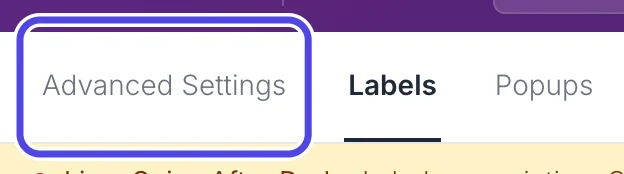
Step 2: Click Advanced Settings
Near the top left of the Customize page, click Advanced Settings.
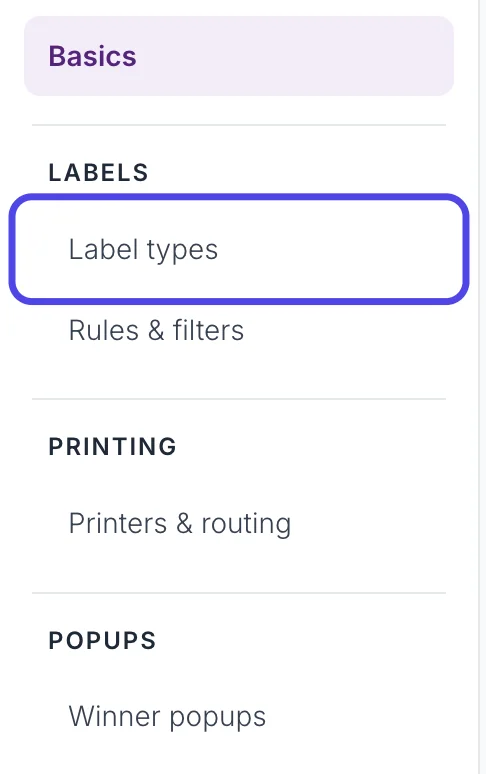
Step 3: Click Label types
In the list on the left, under LABELS, click Label types.
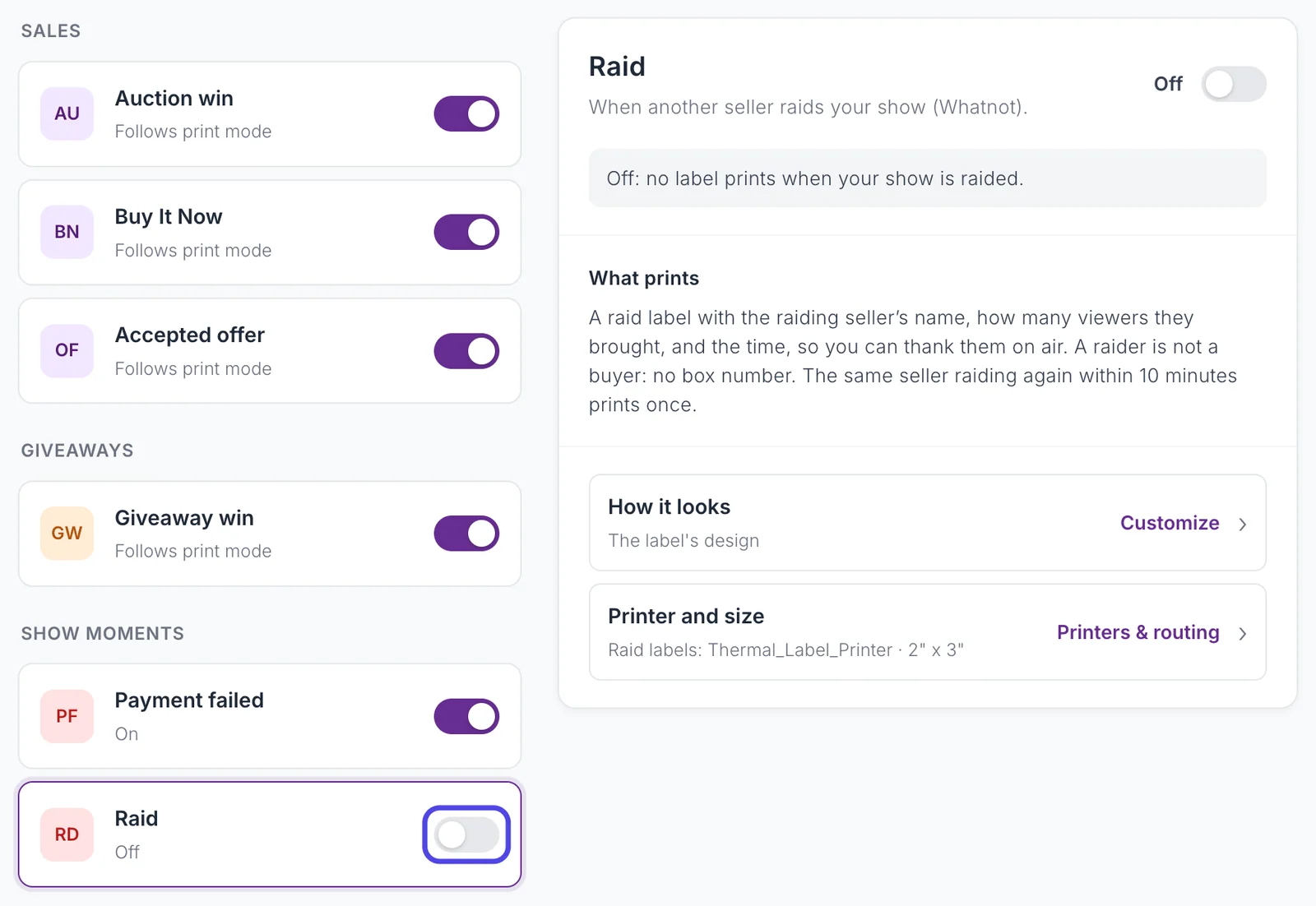
Step 4: Turn on the Raid switch
Under SHOW MOMENTS, find Raid. It says Off. Click its switch so it turns purple.
The box on the right says what prints: the raiding seller's name, how many viewers they brought, and the time. A raider is not a buyer, so the label has no box number. NotBot saves the change right away; there is no Save button.
Step 5: Check the printer and the design
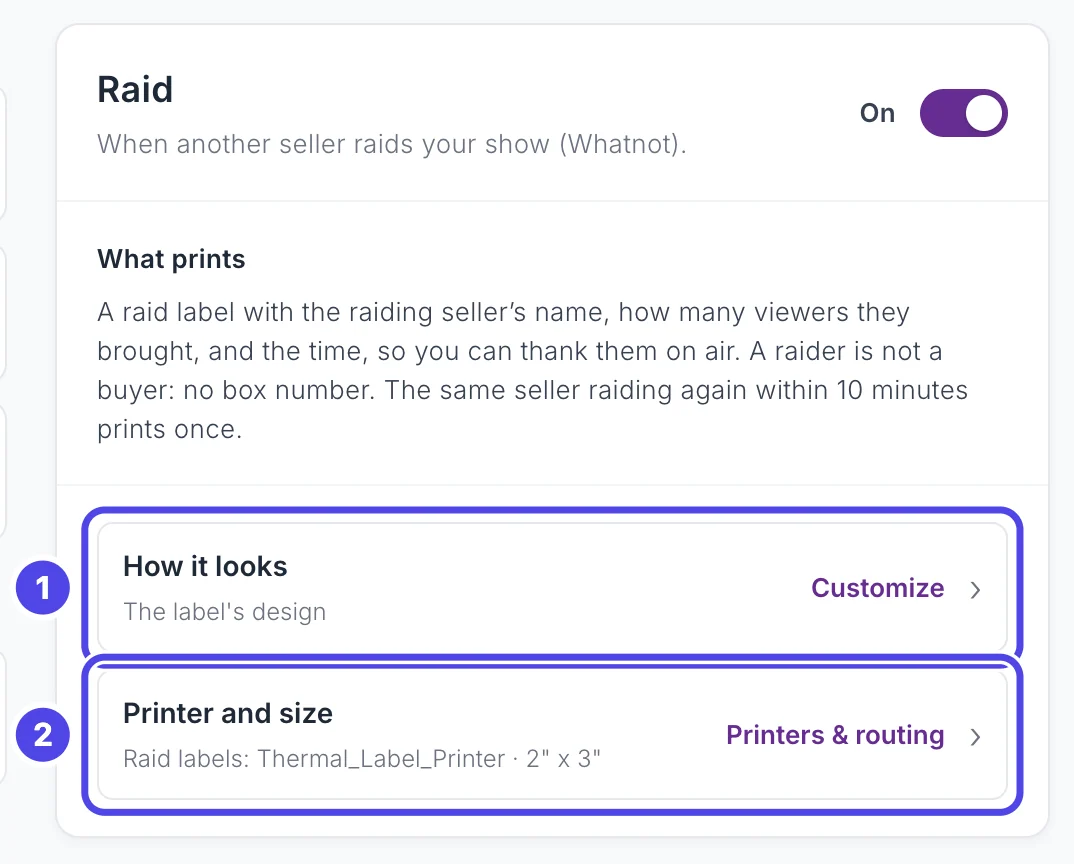
With Raid on, the box on the right shows two links:
- How it looks opens the raid label's design, which you can change like any other label. See Change which design a label uses.
- Printer and size shows which printer raid labels go to. They go to your main printer (the one chosen in Settings) unless you pick another one in Printers & routing. See Use two printers.
Step 6: Go back to the Dashboard
Click Dashboard at the top of the window to go back to your show.

When your show is raided
Step 7: Find the raid label in Recent Labels
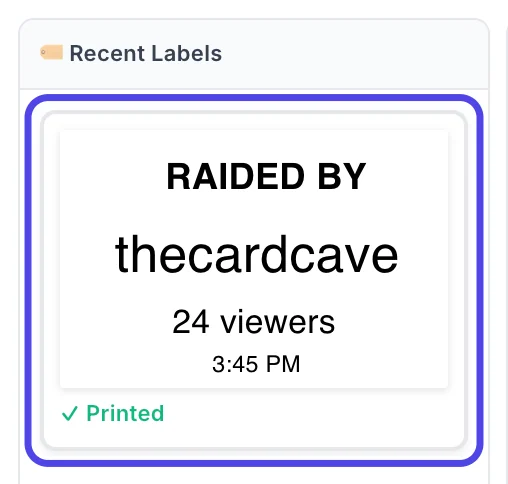
When another seller raids your show, NotBot prints the raid label right away, as long as auto-print is on. It also shows at the top of Recent Labels in the NotBot panel. The built-in design says RAIDED BY, then the raider's name, the number of viewers they brought and the time.
Here thecardcave raided with 24 viewers. Read the name on air to thank them.
If the same seller raids your show again within 10 minutes, NotBot prints only one label. To print a raid label again, click its tile in Recent Labels.
If something looks different
My show was raided but no label printed
Check that Raid is on (Customize › Advanced Settings › Label types) and that auto-print is on in the NotBot panel. Raid labels work only on Whatnot, and only for the show open in NotBot.
The same seller raided twice and I got one label
NotBot prints one label per seller per show within 10 minutes, because a connection hiccup can send the same raid twice. To print it again, click the raid label in Recent Labels.
Raid labels come out on the wrong printer or the wrong size
Open Customize › Advanced Settings › Printers & routing and change Raid to the printer and size you want. See Use two printers.
I don't want raid labels any more
Turn the Raid switch off in Label types. No label prints when your show is raided.